Last reviewed 2026-09-06 05:43 - cpb.
What is this Voters' Guide?
The League of Women Voters is a national organization which also has state and municipal level organizations. These separate organizations all abide by certain national standards and may coordinate on some efforts, but they each operate independently from one another. Each level of the organization has the ability to create its own Voters' Guide.
- Run for a citywide seat and you will receive a request to contribute to your municipal League's guide (LWV Stamford).
- Run for a state legislative seat that covers parts of more than one municipality and you may receive a request from each municipality.
- Run for a statewide seat and you will receive a request from the LWV of Connecticut.
- Run for a federal seat and you will receive a request from the national LWV (vote411.org).
The Voters' Guide from LWV Stamford is made for the voters of Stamford, to provide easy access to information on local candidates — the candidates we have found to be the least covered, even by local news sources.
What your page is
Every candidate for a Stamford city office or a Connecticut legislative seat covering Stamford gets a page on this site. It carries your name as it appears on the ballot, the office you are seeking, your party line, your photo and contact details, and — the part that matters most — your own answers to the questions the League puts to every candidate for that office.
The League writes the questions. You write the answers. Nobody at the League edits them.
Answering is voluntary. If you do not answer, your page still appears with your ballot information, and readers see that the questions went unanswered. Most candidates answer.
Logging in
You do not sign up. Once the ballot roster is settled, the League creates an account for you and contacts you by email with your logon address and a password. One person gets one login, even if you appear on the ballot twice.
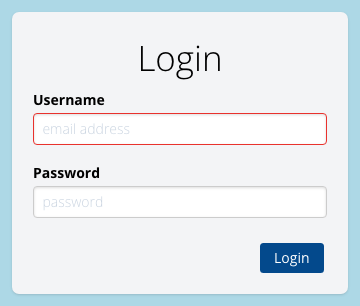
- Go to the login page.
- The League makes a fake email address for you — it looks like an actual email address, but it's not. It is your username.
- Paste the password from the invitation email.
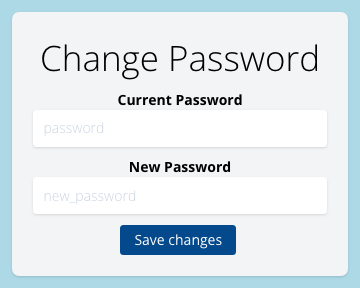
[OPTIONAL] Change that password once you are in: Settings in the More menu, or /settings directly. Minimum ten characters. The emailed password was created to be difficult to crack, but it went through an ordinary mailbox, so you are free to update it.
Finding your page
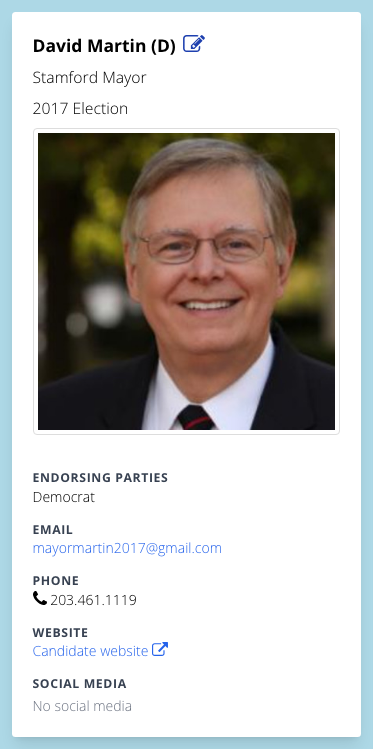
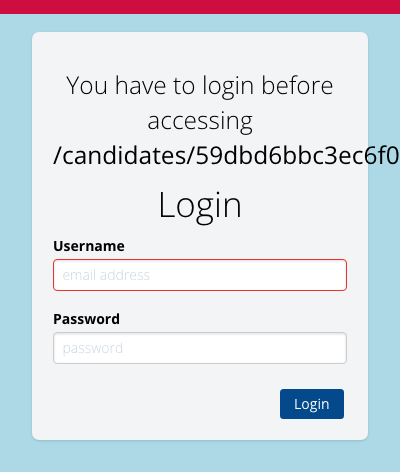
Log in, then find yourself in the Voters' Guide the same way a voter would — from the front page, or through your office. On your own page your name is a link and carries a small pencil icon; it only appears when you are logged in as the candidate for the page. Click it to edit.
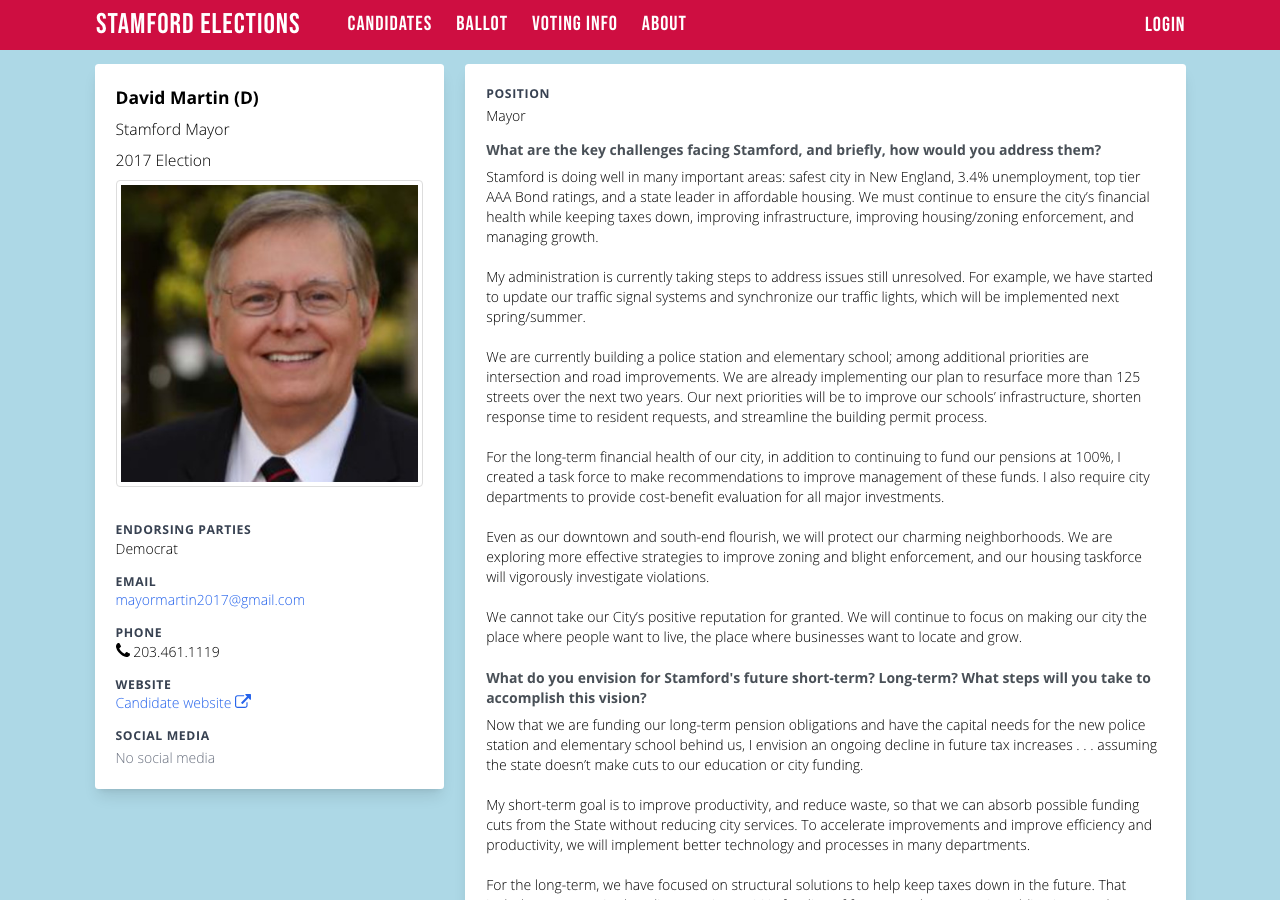
The edit form lives at /candidates/<your-id>/edit. It is worth bookmarking once you are there. You can only open your own.
Once you bookmark your edit page, returning to the bookmark will prompt you to log in again. Log in and you can resume editing.
Filling in the form
One page, four blocks, one Submit button at the bottom. Submit saves everything at once — there is no per-field save, so do not close the tab halfway down. Consider saving your answers to a local text doc.
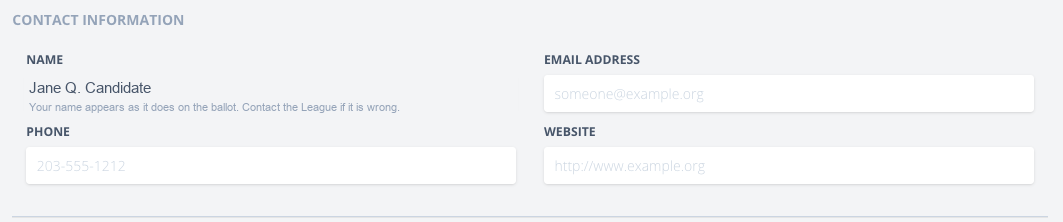
1. Contact information
Email, phone and website. This is what a voter uses to reach you, so put in the address you actually read. Your name and office show here too, but as plain text — see what you cannot change.
2. Social media
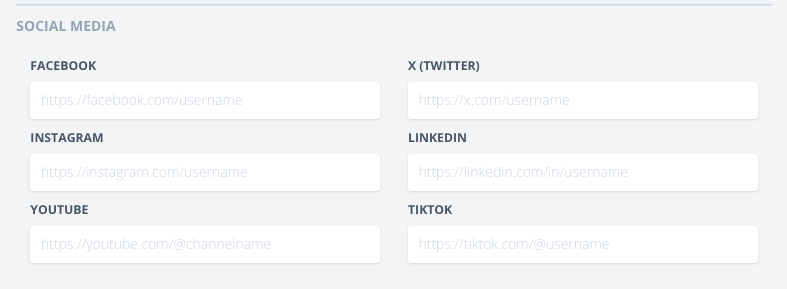
Facebook, X, Instagram, LinkedIn, YouTube and TikTok. Paste the full address of the account (https://facebook.com/yourcampaign), not a handle. Leave blank anything you do not use — an empty field simply does not appear on your page.
3. Photo
A head-and-shoulders photo, cropped square by the site after upload.
- Formats: JPG, PNG or GIF.
- Maximum size: 500 KB. Larger files are refused with a message.
- Anything roughly square works best; a wide photo will be cropped to the middle.

Uploading replaces the photo immediately, without waiting for Submit.
4. Questions
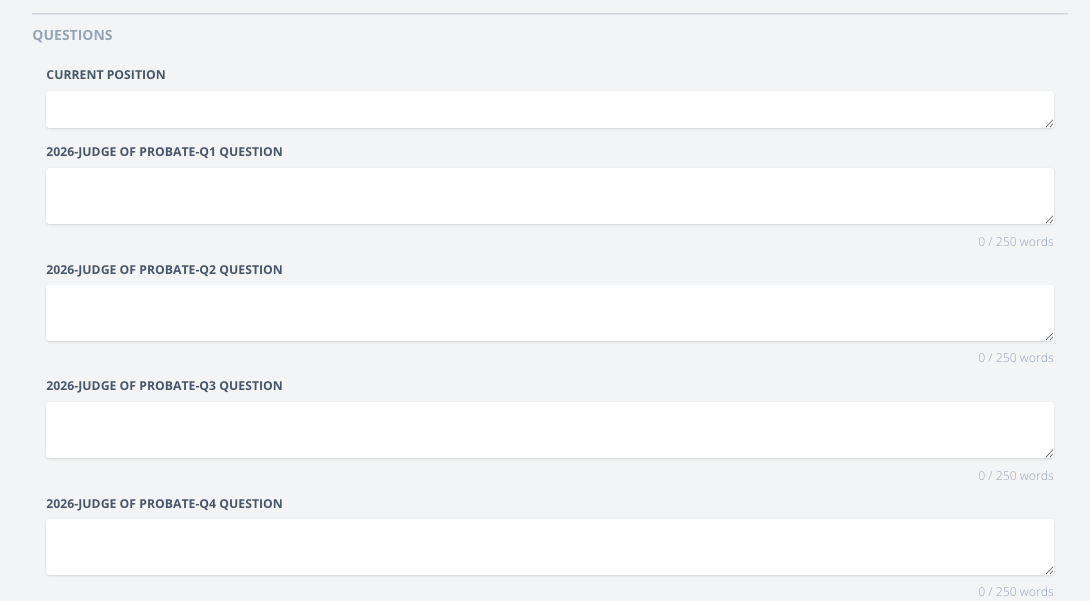
First a short Current position box — your present role, one line. Then the League's questions for your office, up to five, each with a large text box.
- Plain text. Line breaks are kept; bold, bullets and links are not.
- Each question has a word limit. A running count sits under the box as you type; go over it and the box turns red and the form will not submit until you cut it back.
- Answer in your own words. An answer that is plainly a press release reads like one.
- Come back as often as you like before the deadline. Each submit replaces the previous version.
What happens when you submit
It is live. There is no review queue and no approval step — press Submit and the public page shows what you wrote, immediately.
Something else happens the first time you log in, and it is in your favor: your details become yours. Until then the League's roster owns your email, phone, website, social links and photo, and the League's tools may overwrite them when the roster is updated. From your first login onward those fields are locked to you — a later roster update will not undo a correction you made.
Your answers are never at risk. No League tool writes a candidate's answers, in any circumstance.
What you cannot change, and why
Four things are shown to you but not editable: your name, the office, your party line and your position on the ballot.
These are ballot facts, not display preferences. They come from the Secretary of the State's certified list and the official sample ballot, and the election-night results on this site are matched against them. A candidate who shortened their own name here would appear on our guide under a name that is not on the ballot voters will see.
These four fields are locked by the site itself, not merely hidden in the form, so they always match the official record.
Dates that matter
There are two kinds of date here. The first set is the League's — the dates important to your campaign, for submitting information to this site. The second set of dates is official, from the Connecticut Secretary of the State, and impacts your voters.
League dates
| When | What |
|---|---|
| TBC | Roster settled; candidate logins created and emailed. |
| TBC | First reminder to candidates who have not answered. |
| TBC | Second reminder; Before early voting. |
| TBC | Third reminder; final call, just before election. |
| Any time | Answers submitted after a deadline still publish to the website — the deadline is for the printed summary, not the site. |
Official 2026 dates
These are set by the state and the city, not by us, and they are the ones to convey to voters. The full detail — early-voting hours, ID rules, absentee tracking — is on the voting information page, which is the page we keep current.
| When | What |
|---|---|
| Fri 16 Oct 2026 | Voter registration deadline — by mail (postmark), online (11:59 PM), or in person (8:00 PM at the Government Center). |
| 19 Oct – 1 Nov 2026 | Early in-person voting at the Government Center, 888 Washington Blvd, 4th floor. Extended hours on Tue 27 and Thu 29 October. |
| Tue 3 Nov 2026 | Election Day. Polls open 6:00 AM, close 8:00 PM. Same-day registration at the Government Center. |
| Tue 3 Nov 2026, 8:00 PM | Absentee ballots must be received by the Town Clerk, or they are not counted. |
Source: Stamford voting information, maintained from the Secretary of the State and the City of Stamford. If this table and that page ever disagree, that page is right.
If something is wrong
| Password does not work | Email the League for a reset. Do not make a second account. |
| Name, office or party is wrong | Email the League — an administrator fixes it against the official record. |
| A social link is not mine | Delete it in the form and press Submit. It will not come back. |
| Photo will not upload | Check it is JPG, PNG or GIF and under 500 KB. |
| You have withdrawn | Tell the League. Your page is removed and the data is archived. |
| Anything else | [email protected] |